Web UI & Kanban Workflow
The Web UI & Kanban Workflow combines the command-line speed of tk with an interactive browser-based dashboard running on port 8475.
Lifecycle Overview
flowchart TD
    A["Start Background Daemon<br/>tk webui server start"] --> B["Open http://localhost:8475"]
    B --> C["4-Lane Kanban Board<br/>(Ready, In Progress, Blocked, Closed)"]
    B --> D["DAG Mind Map Canvas<br/>(Interactive Dependency Trees)"]
    C --> E["Drag & Drop State Transitions"]
    D --> F["Visualize Critical Path & Blockers"]
    E --> G["Review Comments & Markdown Audit Trail"]
    F --> G

    style A fill:#6366f1,stroke:#4f46e5,color:#fff
    style B fill:#3b82f6,stroke:#2563eb,color:#fff
    style C fill:#10b981,stroke:#059669,color:#fff
    style D fill:#f59e0b,stroke:#d97706,color:#fff
    style E fill:#8b5cf6,stroke:#7c3aed,color:#fff
    style F fill:#ec4899,stroke:#db2777,color:#fff
    style G fill:#06b6d4,stroke:#0891b2,color:#fff
Visual Highlights
| 4-Lane Kanban Board | DAG Mind Map Canvas |
|---|---|
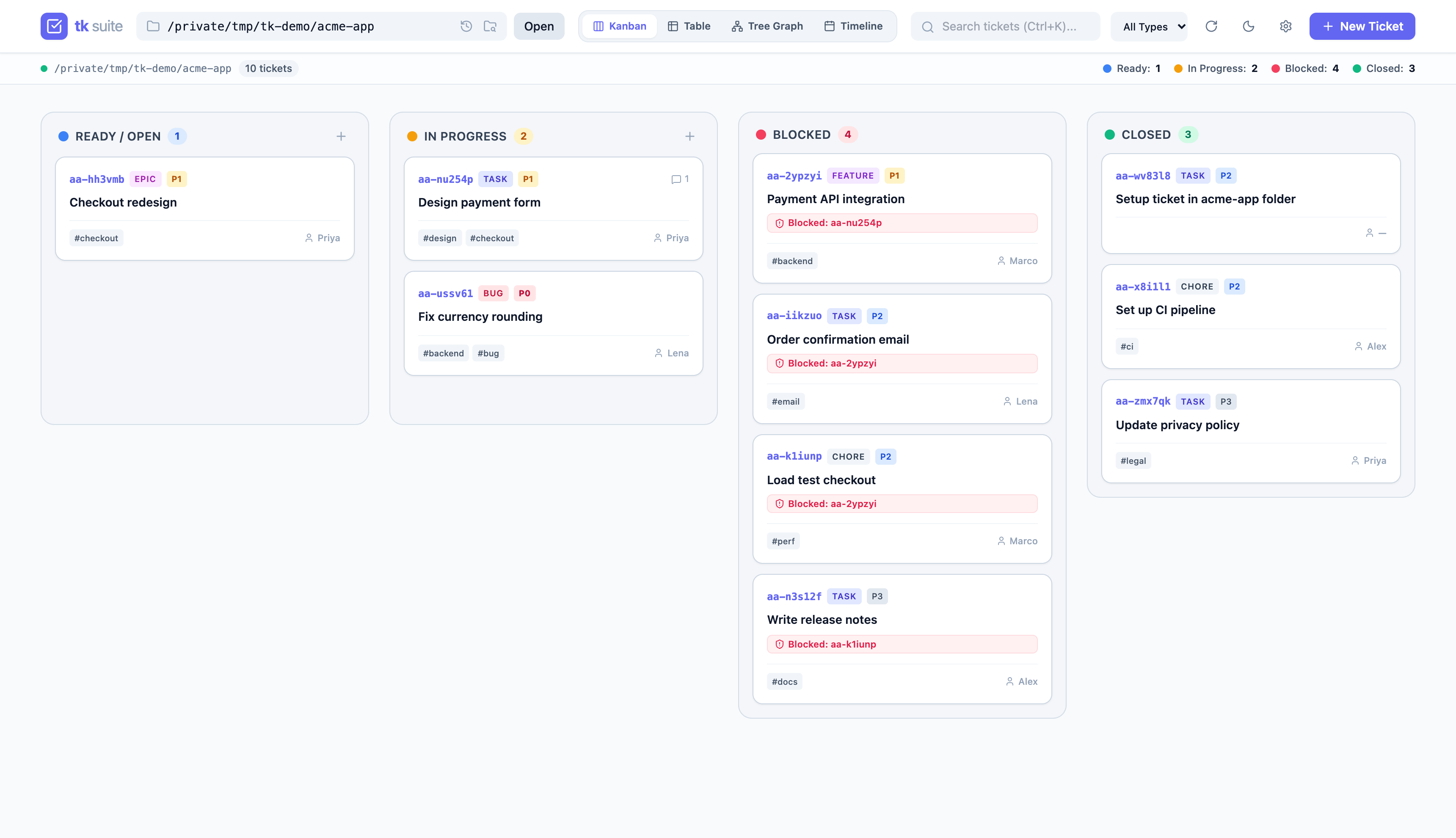 |
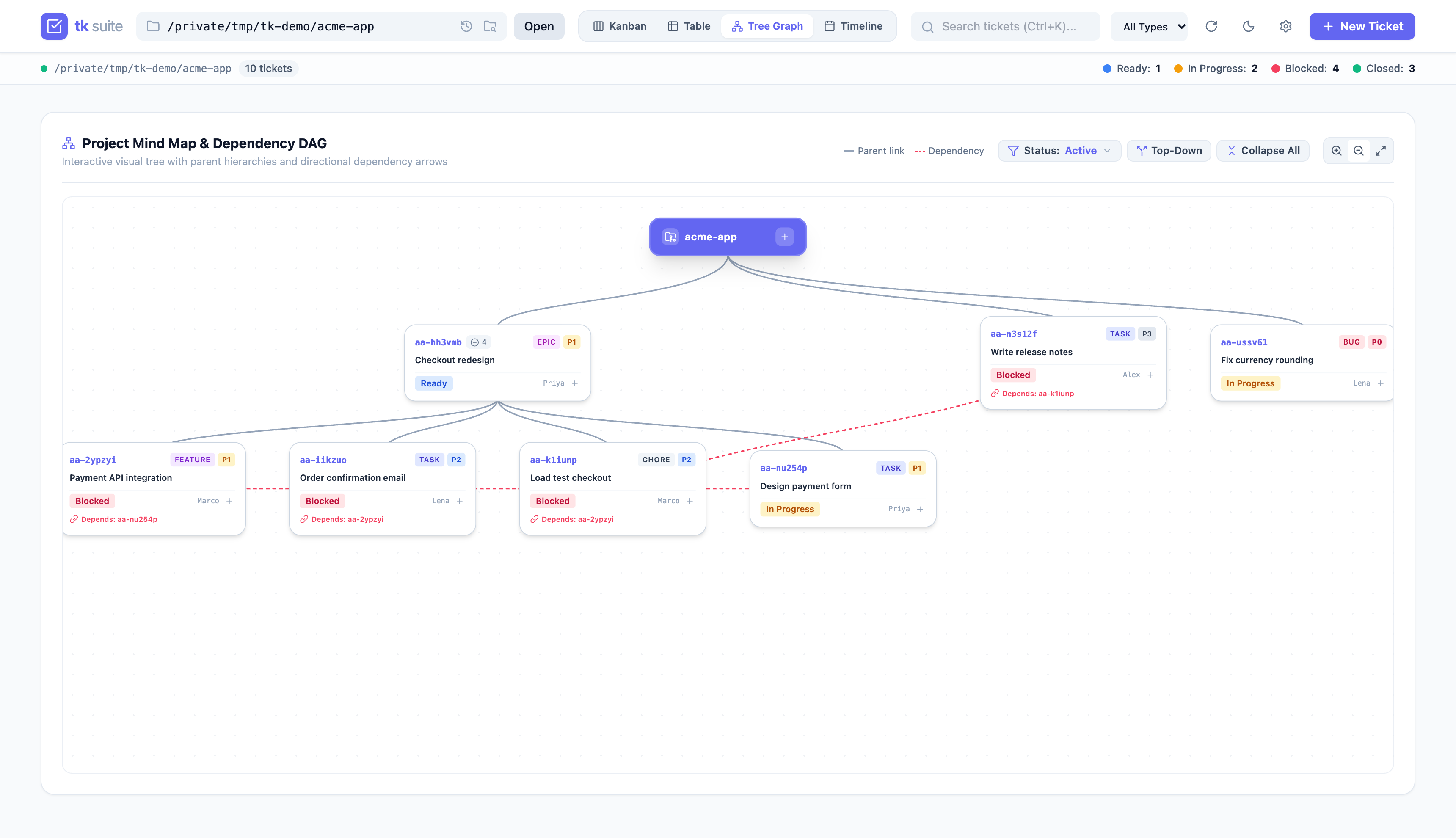 |
Step-by-Step Walkthrough
1. Launch the Background Daemon
Run the web dashboard persistently in the background, for the current directory or a given project:
Start fails with the log path if port 8475 is already in use; pass --port to pick another.
Check status or logs at any time:
2. Visualize Sprint & Mind Map
Open http://localhost:8475 in your browser:
- Switch to Mind Map View to inspect dependencies, parent-child task links, and critical paths.
- Switch to Kanban Board to drag tasks between Ready, In Progress, Blocked, and Closed lanes. Blocked and Ready match
tk blockedandtk ready. - Leave the tab open while you or your agents work: changes made with
tkappear within about 3 seconds. Refreshes wait while a ticket form is open or a card is being dragged. - Open another project with
?dir=/path/to/repoin the URL or the folder picker.
3. Review & Audit Notes
- Open any task drawer to review design notes and acceptance criteria.
- Append chronological audit notes with
Cmd+Enter(macOS) orCtrl+Enter(Linux/Windows).
4. Sharing with a Team
The Web UI is localhost-only and has no login. Each teammate runs it on their own machine against their own checkout; tickets are shared through Git. Binding to 0.0.0.0 exposes read/write access to anyone on the network. See the Security Model.